See It In Action
Watch how a website gets restored from the Wayback Machine in under 4 minutes.
We Connect to the Wayback Machine
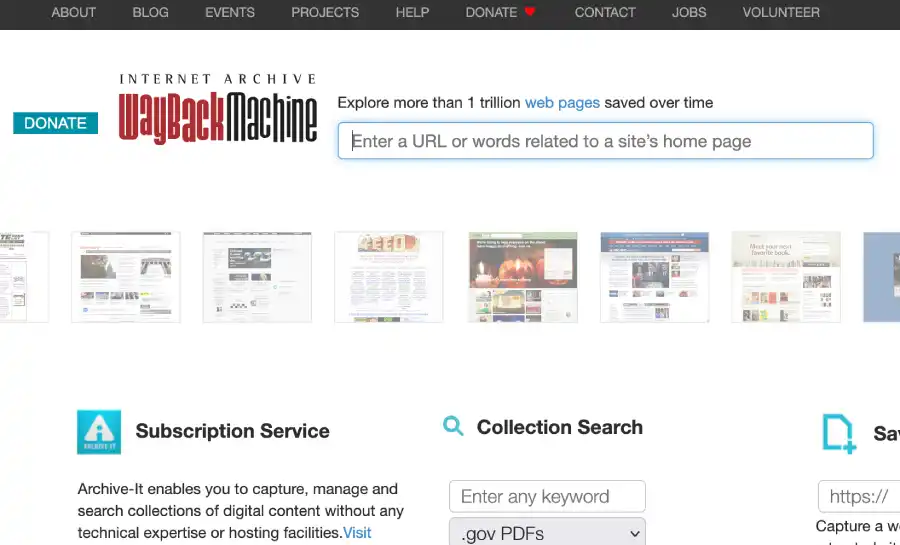
The Internet Archive's Wayback Machine stores billions of web pages. We scan their archive and find all saved versions of your website.
Complete Step-by-Step Process
Follow these simple steps to restore any website from the Wayback Machine
1Enter Your Domain
Go to the homepage and type a domain name into the search box — for example "example.com". Click Restore Now. Our system scans the Wayback Machine and finds all archived versions of that website.
2Choose Which Version to Restore
Most users go to web.archive.org, find the exact date they want, copy the Wayback Machine URL (e.g. https://web.archive.org/web/20201015.../example.com), and paste it directly into our tool. Alternatively, let our AI automatically pick the most complete version for you — it analyzes available snapshots and recommends the best one.
3Sign Up or Sign In
You will be asked to create a free account or sign in with Google. This saves your restore to your dashboard so you can download it anytime — even weeks later.
4Pay Once — No Subscription
Price is based on the number of archived pages: from $19 for small sites up to $349 for sites with 50,000+ pages. You pay once per restore. No recurring fees, no subscription.
5Automatic Processing
After payment, our system fetches every page and asset from the Wayback Machine, fixes broken internal links, removes Wayback wrappers and tracking scripts, and packages everything into a clean ZIP file. Nothing to do on your end.
6Download Your Website
You receive an email when your ZIP is ready — usually within 1–4 minutes. Download directly from the email or from your dashboard. Your restored site stays in your account with no expiry, so you can re-download anytime.
What You Get in the ZIP
The ZIP you receive contains everything you need to use your restored website
About the Restore
Your website is rebuilt from old Wayback Machine archives. It is created automatically using saved pages, images, and files that were available at the selected time.
Important to Know
Because the Wayback Machine does not save everything perfectly, the restored site may not look or work exactly like the original website. Some images, links, or design parts may be missing or different. This is normal for archived websites.
The website is delivered as a static HTML site. This means it does not include databases, logins, shops, or other advanced features.
What You Receive
- A rebuilt version of the website based on archived pages
- HTML, CSS, images, and other available files
- A ZIP file with all files included
- Clean files with no added or harmful code
How to Use It
You can upload the files to any standard web hosting to view the site. No coding is needed to open or use the website.
Compatible with:
Optional Improvements
The design and layout come from an older time and may look outdated today. If you want to improve the look, you can:
- 1Copy the HTML into ChatGPT and ask for a modern, mobile-friendly design
- 2Edit the HTML or CSS yourself
- 3Ask a web developer to redesign the site
Design changes are not included in the restore.
Limitations
- •Not all archived pages can always be restored
- •Some links or files may not work
- •The restore is made on a best-effort basis using public archive data
Summary
The restore gives you a working version of an old website, based on what was saved in web archives. It is a good starting point for viewing, saving, or rebuilding the site, but it is not an exact copy or a modern website.
Learn what to do after downloadFast Processing Time
A restore normally takes between one and four minutes depending on site size. Very large sites can take longer. The process is fully automatic.
Frequently Asked Questions
Quick answers to common questions